

Discover how the right payment system can improve cash flow, build customer trust, and simplify the way you run your business.
Summary: Choosing the right payment system is one of the most important decisions for solopreneurs and microbusiness owners. A reliable solution doesn’t just help you collect money—it strengthens cash flow, builds customer confidence, and makes your business look more professional. In this guide, we’ll explore why payment systems matter, what features to look for, and the most trusted options available today.
Getting paid shouldn’t be hard
As a business owner, you deserve to be paid on time—and today, there are more ways than ever to make that happen. Maybe you want to swipe a card on-site after finishing a plumbing job. Or you’d like to let customers pay you directly from their phone at your pop-up shop. Perhaps invoicing online and accepting credit cards for remote work is what you need. Or maybe you’re looking for recurring payments to cover ongoing services like housecleaning or landscaping.
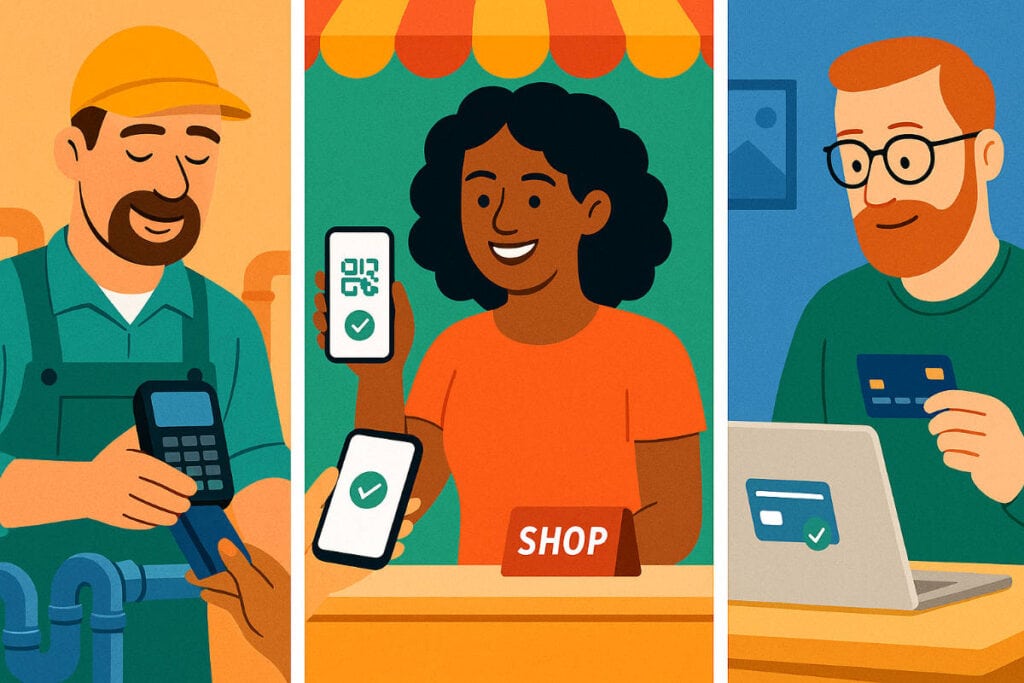
No matter the situation, the goal is the same: an easy, professional way to accept payments and keep cash flowing.
Why payment systems matter
Let’s be honest: cash flow is king in small business. A single late payment can throw off your budget for the week. When payments are slow or complicated, you’re left chasing down customers instead of focusing on the work you love.
On the flip side, when your payment process is simple and reliable, customers are more likely to pay on time, and you get access to your money faster. That stability doesn’t just help you cover expenses—it frees you to make smarter decisions about reinvesting in your business.
Pro Tip: A smooth checkout experience is part of your brand. Customers often remember how easy—or how frustrating—it was to pay you just as much as they remember your product or service.
Related: 5 Smart Ways to Manage Your Business Finances
What makes a great payment system?
Not all payment systems are created equal. Some are designed for retailers with storefronts, others for freelancers sending invoices, and others for online shops that sell around the clock.
What matters most is choosing a system that fits your customers and the way you run your business. A good payment system should:
- Be easy to use. If it takes too many steps, you and your customers will get frustrated.
- Offer transparent fees. Know exactly what you’ll pay per transaction, with no surprises.
- Support multiple payment methods. Credit, debit, Apple Pay, Google Pay, ACH transfers—today’s customers expect options.
- Keep transactions secure. PCI compliance and fraud protection are must-haves.
- Integrate with your tools. Whether it’s QuickBooks for accounting or Shopify for e-commerce, integrations save time.
Tech Tip: If you already use accounting software like QuickBooks or Wave, look into their built-in payment options. Sometimes the best system is the one that plays nicely with the tools you’re already using.
Related: 5 Essential Tech Tools for Your Solopreneur Success
The payment systems small businesses trust
Square
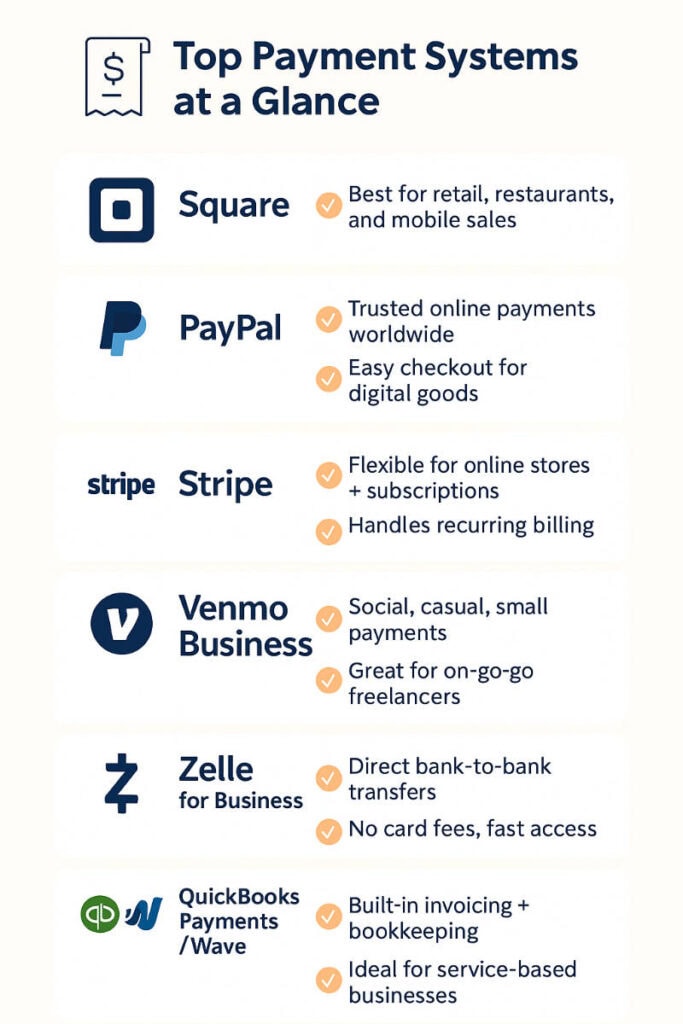
Square is a favorite for small shops, food trucks, and service providers who need to take payments on the go. Their card readers and POS systems are simple to set up, and you can be swiping cards within minutes. It’s also a great option if you want to track sales and inventory without investing in an expensive system.
PayPal
PayPal has been around long enough that most of your customers already know and trust it. Whether you’re selling online or sending invoices, PayPal makes checkout familiar and comfortable for your buyers. Just keep in mind that while the convenience is great, the transaction fees can add up, so it works best for businesses where customer trust outweighs fee sensitivity.
Stripe
Stripe is the go-to choice for online stores, subscription services, and anyone who needs a payment setup that’s a little more customizable. It’s powerful behind the scenes and can handle things like recurring billing, payment links, and even marketplace setups. If you’re not super technical, you may want a developer’s help at first—but once it’s running, it’s rock solid.
Venmo Business
Venmo Business is ideal if your customers are already using Venmo for personal payments. It feels familiar and casual, which can make it easier for customers to send money quickly. While it may not replace a full-featured system like Square or Stripe, it’s a handy, low-barrier option for freelancers and small service businesses.
Zelle for Business
Zelle is all about speed—direct bank-to-bank transfers that usually hit your account within minutes. It’s a great option for businesses that want to avoid card fees or deal with clients who prefer direct payments. The main limitation is that it’s not as flexible for online sales, so it’s best for service-based work or repeat clients who are comfortable paying that way.
QuickBooks Payments / Wave
If you’re already using QuickBooks or Wave for your accounting, their built-in payment systems can be a natural fit. You can send invoices, track payments, and update your books all in one place. This makes them especially useful for service-based businesses that rely on invoicing rather than point-of-sale transactions.
Related: Budget-Friendly Tools to Launch Your Microbusiness
How to choose the right system
If you’ve ever felt stuck wondering which payment system is “the right one,” you’re not alone. The key is to keep the decision simple:
- Start with your customers. How do they prefer to pay—card, mobile wallet, or bank transfer?
- Compare the fees. A low monthly cost might come with higher transaction fees. Run the numbers for your sales volume.
- Think about the future. Choose a system that can grow with you, whether that means adding recurring billing or integrating with an online store later.
Pro Tip: You don’t need three different payment systems from day one. Start with one that covers your biggest need, and add others only if your customers demand it.
Key Takeaways
- The right payment system improves cash flow, boosts professionalism, and keeps customers happy.
- Look beyond just “taking payment”—checkout is a big part of your customer’s experience.
- Choose the system that best matches your business model.
- Most systems are easy to set up and try with no long-term commitment.
Final Thoughts
At the end of the day, payment systems are about more than money—they’re about trust, simplicity, and confidence. With today’s options, getting started doesn’t have to feel overwhelming or risky. Most systems are easy to set up, require no long-term commitment, and can be tested with just a quick bank connection.
Choosing the right system means you get paid faster, your customers feel taken care of, and your business runs smoother.
What about you? Which payment system are you using right now, and how has it worked for your business? Share your thoughts in the comments—I’d love to hear about your experiences.